
For schools & colleges
Speaking practice for every student. Progress for every teacher.
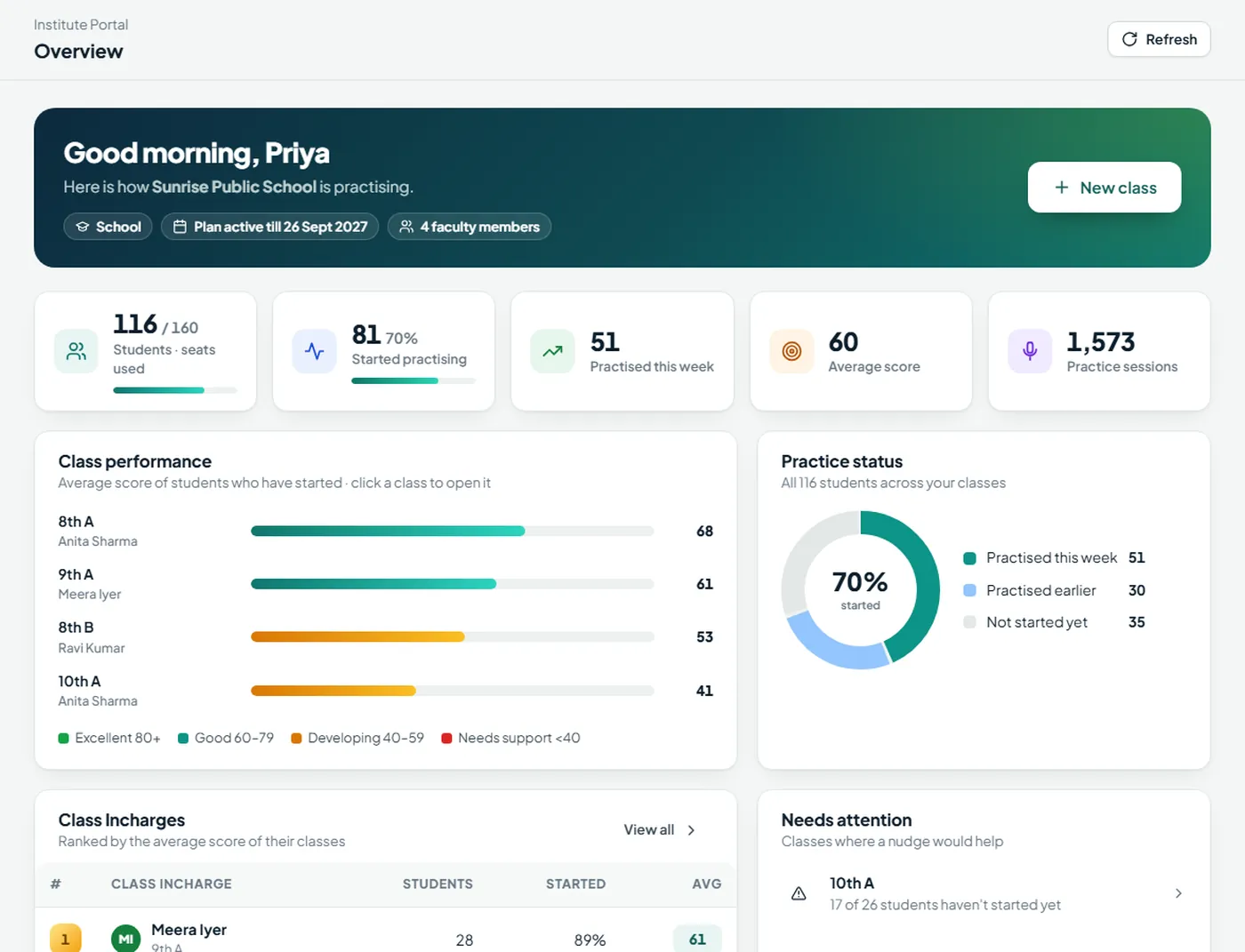
SpeakUp gives each student their own login and daily practice with instant feedback. The Institute Portal shows your teachers who is practising, who is improving and who needs a nudge.
Getting started
Up and running in a day
No installation on your servers and no IT project. Here is how a rollout works.
We set up your institute
Tell us how many students, faculty and classes you need. Your institute admin gets a sign-in for the Institute Portal.
Add faculty and classes
Your admin adds the faculty — typed in or from an Excel file with just Name and Email — then creates each class and picks its Class Incharge.
Add students and start
The admin or Class Incharge adds students the same way. Every student gets a Login ID made from their first name and a password, ready to share.
Who sees what
The right view for each person
Everyone signs in with their own Login ID or email. Each role sees only what it needs.
Runs the institute
- Adds faculty one by one or from an Excel file
- Creates classes and chooses each Class Incharge
- Adds and moves students between classes
- Downloads login sheets and resets passwords
- Sees progress across all classes and all Class Incharges
Follows their class
- Sees their own classes only
- Adds students to their classes, typed or by Excel
- Ranks students and spots who hasn't started
- Opens any student's full progress report
- Downloads reports and resets their students' passwords
Practises every day
- Signs in with a Login ID like AYUSH4K7P2Q (or email)
- Gets every module of their edition
- Resets a forgotten password by email, if they have one
- Uses one computer and one phone
- Keeps their recordings on their own device
Inside the portal
Clear answers to the questions teachers ask
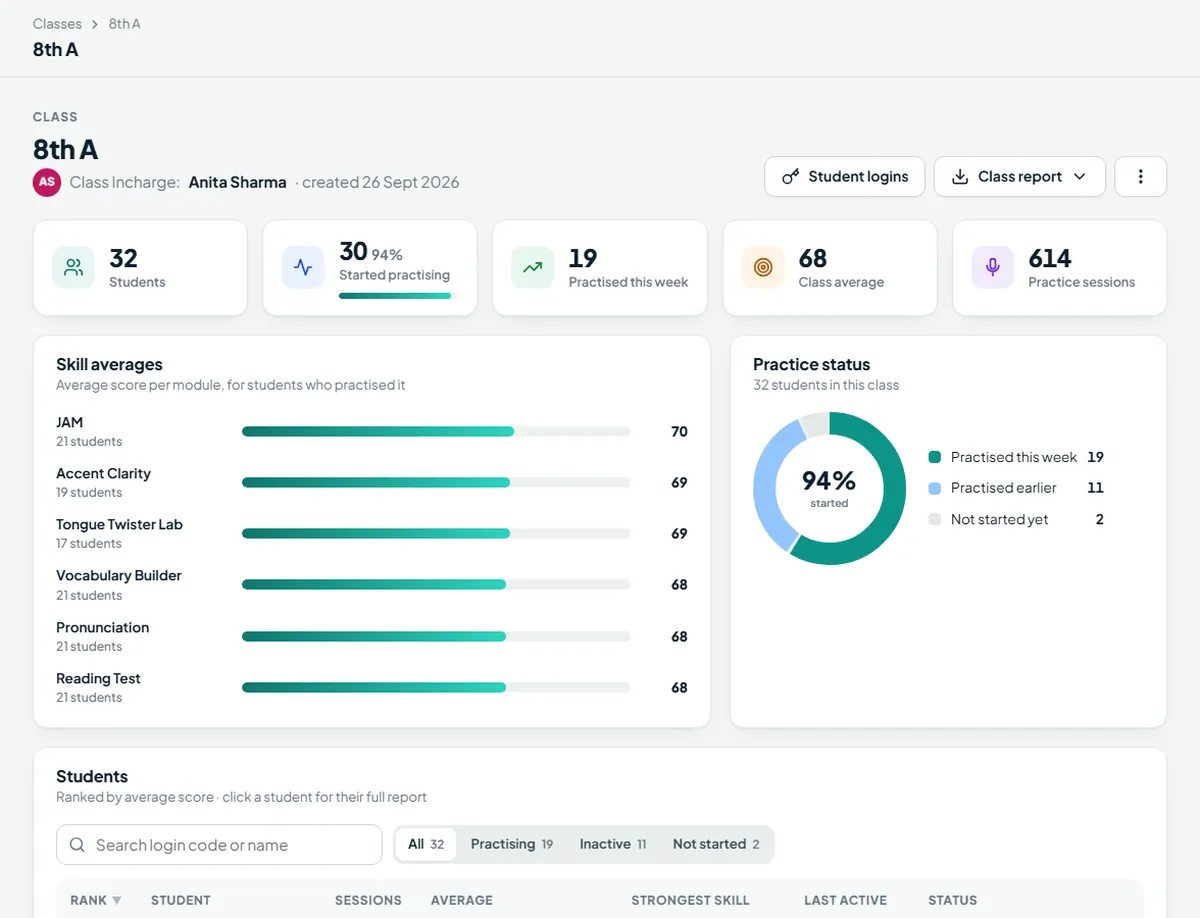
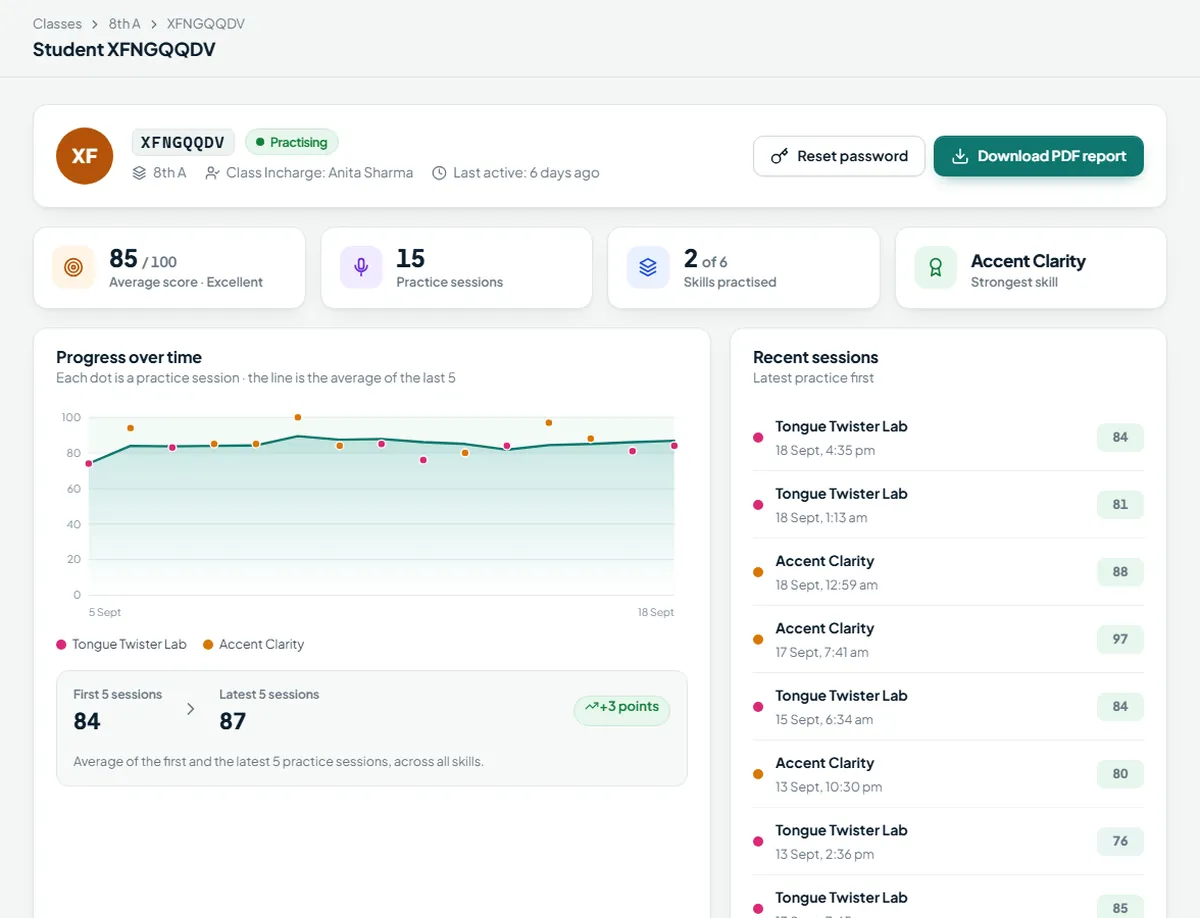
Who is practising? Who is improving? Which skills does the class find hardest? The portal answers them at a glance.
Reports in one click
Download a PDF to share or print, or Excel to sort and filter.
- Student report — every skill, trend and recent sessions
- Class report — rank table and skill averages
- Institute report — all classes and Class Incharges
Student data
Safe for schools by design
School students can sign in with just a Login ID made from their name — an email is optional.
Speech and camera analysis run on the student's computer or phone.
A Class Incharge sees their own students. The institute admin sees the whole institute.
Only your institute admin, and each Class Incharge for their own classes, can download login sheets and reset passwords.
Plans for institutes
Priced per student, for the length you need
Institute plans cover a number of student seats for 3, 6 or 12 months, with faculty logins, the Institute Portal and reports included. Tell us about your institute and we'll send a quote.
Students, faculty and classes
Your plan sets how many students, faculty and classes you can add. Need more later? Just ask.
Faculty included
Every faculty member gets their own login to the Institute Portal at no extra cost.
School or College
Choose the edition that fits your students: JAM for schools, Mock Interview for colleges.
Questions
Institute FAQ
Do we need to install anything on our servers?
No. Students install the SpeakUp app on their Windows computer or Android phone, and teachers use the Institute Portal in a web browser.
Can students use the computer lab?
Yes. Install SpeakUp on the lab computers; each student signs in with their own Login ID, so their scores stay separate. An account can be active on one computer and one phone at a time.
What if a student forgets their password?
If their login has an email, they reset it themselves at speakupai.bringupedu.com/forgot. Otherwise their Class Incharge or the institute admin resets it in the Institute Portal in a few seconds.
Do we have to type every name?
No. Upload an Excel or CSV file with two columns — Name and Email — and SpeakUp shows you a preview, points out any row that needs fixing, and creates all the logins at once. You can also add classes, faculty and students later, up to your plan's limits.
Can we change a class's Class Incharge?
Yes. The admin picks a new Class Incharge from your faculty list, and the change takes effect straight away.
See SpeakUp with your own classes
We'll walk you through the app and the Institute Portal, and set up a trial for your faculty.